
Download Connection Keeper – dial-up internet, keep connection active, prevent disconnection, Windows tool, system tray, automatic connection maintenance
Overview
Connection Keeper is a lightweight Windows utility designed to address a common frustration among users relying on dial-up Internet connections: automatic disconnections due to inactivity. The app’s primary purpose is to maintain an active connection, ensuring uninterrupted access to online resources whenever needed. This is particularly valuable in environments where dial-up remains the only viable Internet option, such as remote areas or legacy systems with limited bandwidth. By preventing the system from dropping the connection during idle periods, Connection Keeper eliminates the need to re-establish a connection manually, saving time and improving workflow continuity.
The target users include individuals and organizations still using dial-up services for basic Internet access, as well as system administrators managing older infrastructure. The app is especially useful for users who require consistent connectivity for time-sensitive tasks, such as checking emails, accessing online databases, or monitoring remote systems. Developed by Eddie C. Reardon, Connection Keeper reflects a focused effort to solve a niche but persistent problem in the digital landscape. Its small file size of 2.4 MB and minimal system footprint make it suitable for older or low-resource machines.
Real-world use cases range from remote work in rural areas to maintaining legacy software that depends on constant Internet access. In the broader app ecosystem, Connection Keeper fills a gap left by modern operating systems that prioritize energy efficiency over connectivity persistence. While newer broadband and mobile solutions have largely replaced dial-up, the continued existence of such connections underscores the ongoing relevance of tools like this. The developer did not provide additional technical details beyond the app’s core function.
Key Features & Functionality
- Automatic Connection Maintenance: The app continuously sends small packets to the server at user-defined intervals, simulating activity and preventing the ISP from terminating the session. This ensures that the connection remains active even during extended idle periods, eliminating the need to reconnect manually.
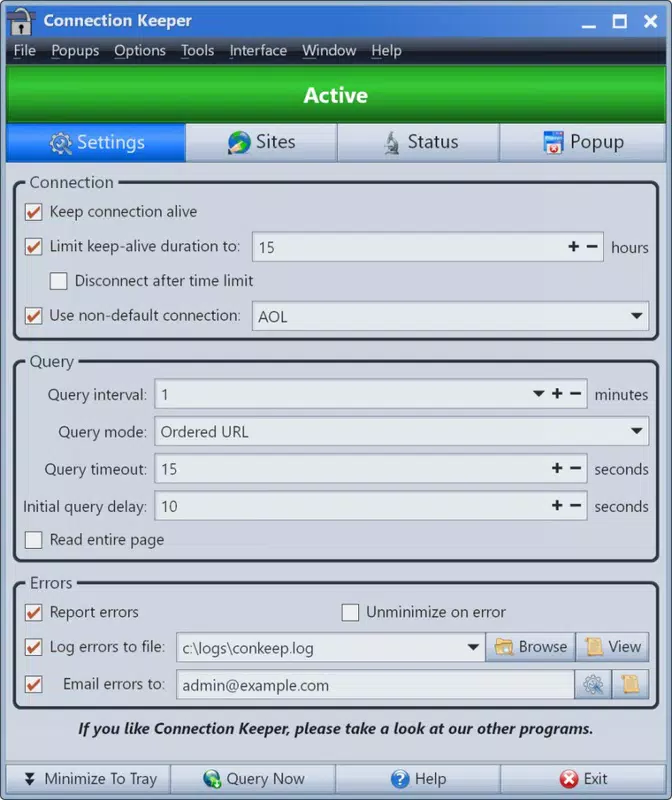
- User-Friendly Configuration: Connection Keeper features a simple setup process with a minimal interface. After installation, it runs silently in the system tray, allowing users to access settings with a single click. Users can adjust the interval between activity signals and choose between automatic maintenance and manual disconnection.
- Integrated Tools: In addition to its main function, the app includes a built-in calendar and calculator. These tools are accessible through the system tray menu and can assist users with scheduling and quick calculations without requiring additional software.
- Customizable Skins: The application supports a variety of visual skins, allowing users to personalize the interface’s appearance. This feature enhances user engagement and enables the app to blend seamlessly with different desktop environments or user preferences.
For example, a user working from a rural location with limited Internet access can set Connection Keeper to send a signal every 15 minutes, ensuring the connection stays open throughout the day. Similarly, a technician managing a remote server via dial-up can rely on the app to maintain access without constant monitoring. The integration of basic tools reduces the need to switch between applications, improving productivity on low-end systems.
Interface, UX & Performance
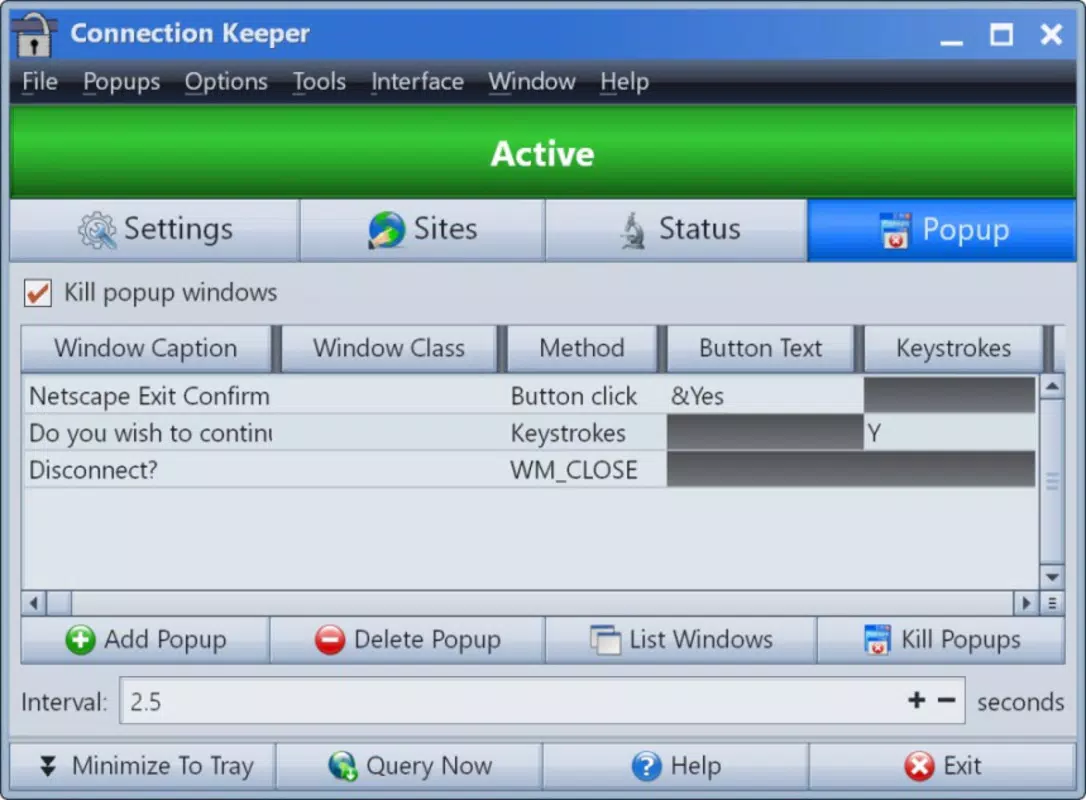
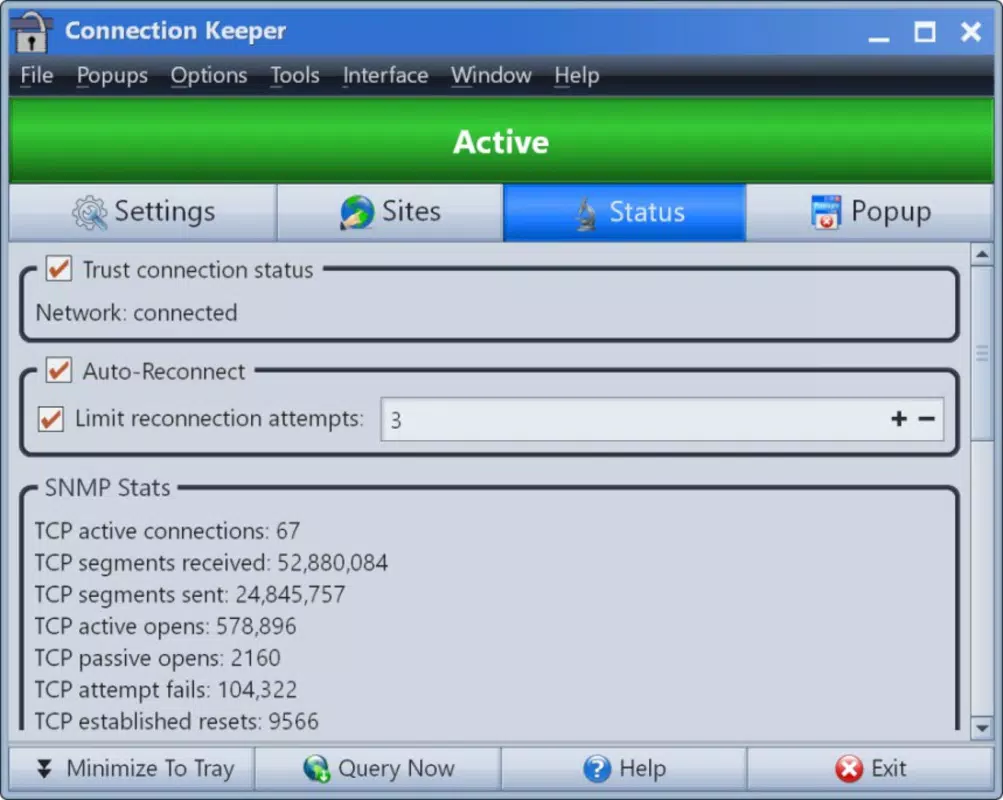
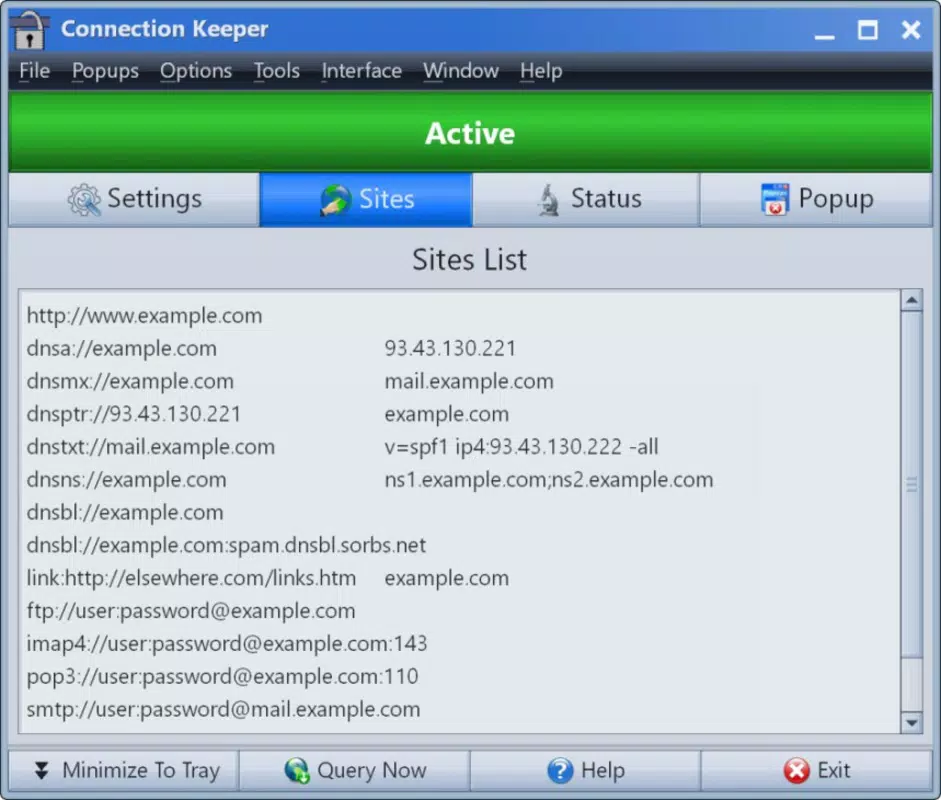
Connection Keeper features a minimalist interface designed for efficiency and low resource consumption. The app displays a small icon in the system tray, which serves as the primary access point for all functions. Clicking the icon reveals a compact menu with options to configure the maintenance interval, enable or disable the service, and access the integrated tools. The layout is clean and intuitive, minimizing the learning curve for new users.
Navigating through the app’s features is straightforward, with clear labels and logical grouping. The configuration panel allows users to adjust settings without technical jargon, making it accessible to non-expert users. Although the developer did not list formal performance metrics, the app’s 2.4 MB file size suggests optimized code and minimal background activity. It runs efficiently on older Windows systems, consuming negligible CPU and memory resources.
Responsiveness is consistent across different device categories, including low-end desktops and laptops. The app remains stable during prolonged use, with no reported crashes or freezes. Users can expect smooth operation even when running alongside other lightweight applications. The developer did not specify minimum OS requirements, but given its compatibility with older systems, it likely supports Windows 7 and later versions. Stability is maintained through background operation without interfering with other processes.
Platform Compatibility & Technical Requirements
Connection Keeper is designed for the Windows platform and is available as a standalone executable. The app has a file size of 2.4 MB, making it ideal for systems with limited storage capacity. It operates as a background utility, requiring no installation wizard or complex setup process. The software runs directly from the downloaded file, simplifying deployment across multiple devices.
The developer did not specify minimum OS requirements or version compatibility beyond the platform. However, given its focus on dial-up connectivity and lightweight design, it is likely compatible with Windows 7 and later versions. The app does not require administrative privileges to run, though some system-level functions may need elevated permissions depending on the user’s configuration.
Compatibility information was not fully disclosed. Specific requirements were not listed. Users are advised to test the app on their system before relying on it for critical tasks. The app does not support mobile platforms or other operating systems.
Pros and Cons
- Lightweight design with minimal system impact
- Effective at preventing dial-up disconnections
- Simple, intuitive interface with system tray integration
- Includes useful built-in tools like calendar and calculator
- Supports customizable skins for personalization
- Free to download and use
- Not compatible with modern broadband or mobile connections
- Limited to Windows platform
- Developer did not provide detailed system requirements
- No built-in update checker or automatic version notification
- Functionality is narrow and specific to dial-up users
FAQ
Is Connection Keeper safe to use?
Yes, the app is designed to operate safely within the Windows environment. It does not modify critical system files or install unwanted software. However, users should download it only from official sources to ensure authenticity.
Can I use Connection Keeper on Windows 10 or 11?
While the developer did not specify compatibility, the app’s lightweight nature suggests it is likely compatible with Windows 10 and 11. Users are encouraged to test it on their system.
Does Connection Keeper work with broadband connections?
No. The app is specifically designed for dial-up Internet connections. It does not provide benefits for broadband, fiber, or mobile data users.
How do I update Connection Keeper?
The app does not include an automatic update feature. Users must manually check for new versions on the developer’s website and download the latest release.
Can I uninstall Connection Keeper easily?
Yes. The app does not leave behind registry entries or leftover files after removal. Simply delete the executable file or use the standard Windows uninstall process if available.
Final Thoughts
Connection Keeper stands out as a focused, efficient solution for users still dependent on dial-up Internet. Its ability to maintain an active connection without manual intervention addresses a real and persistent challenge in legacy connectivity environments. The app’s minimal design, ease of use, and inclusion of basic utilities make it a valuable tool for individuals and small organizations operating in low-bandwidth scenarios.
While its functionality is limited to a specific use case, it delivers reliable performance with no unnecessary overhead. For anyone relying on dial-up access, the app offers a practical and free way to ensure uninterrupted online presence. The developer’s attention to user experience and system efficiency is evident in every aspect of the software.
Download Connection Keeper now


